Your weekly macro meal plan, built around training
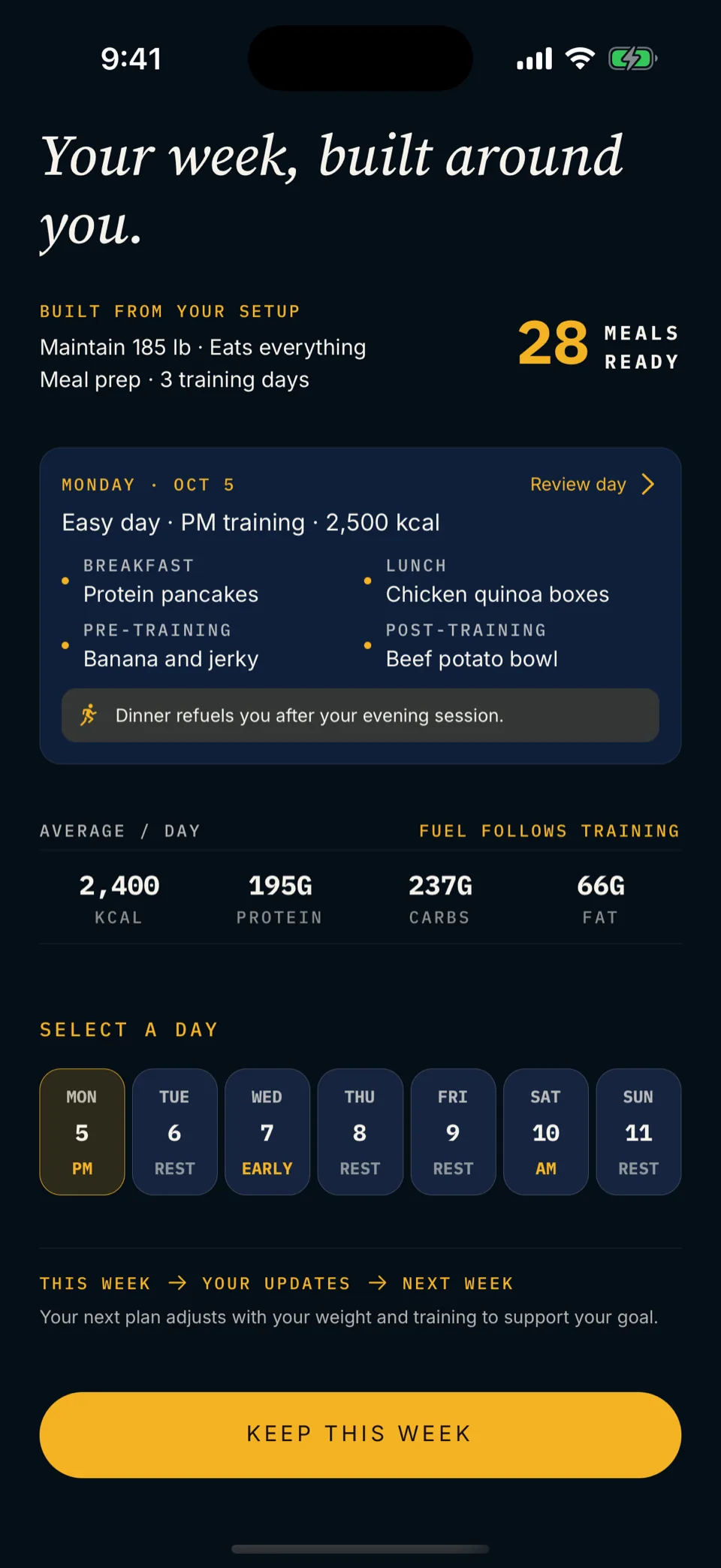
Mero sets your macro targets and plans your week around your training. Every meal. One grocery list. A batch-prep plan. A daily checklist.
Prefer to build it by hand? Follow the step-by-step guide.

5.0 on the App Store14 days free, then $9.99/month
“The macros were right. The week didn’t survive contact with training.”
A weekly macro meal plan that holds isn’t a spreadsheet with seven identical days. It’s a sequence: set the targets, map the training shape, assign the meals, pull the grocery list, prep what batches, and tune what didn’t work. Six steps. Done in order.
Set your macro targets.
Start with one day. Mero estimates your resting energy with the Mifflin-St Jeor equation, adds your activity and goal, sets protein and fat floors, then fills the rest with carbs. Hard, easy and rest days build from there. See how the numbers are derived or run the free calculator. The ranges below are examples for adults 18+, not a personal prescription or medical advice.
- Lose. 300–500 kcal/day below maintenance. Protein high. Fat at the floor. Carbs flex with training.
- Maintain. ±100 kcal of maintenance. Protein high. Fat and carbs balanced to preference.
- Gain. 200–400 kcal surplus. Protein steady. Carbs absorb most of the surplus.
- Sanity check. If the calorie target plus the protein floor leaves room for both fat and carbs to clear their floors, the targets are workable.
Map your hard and rest training days.
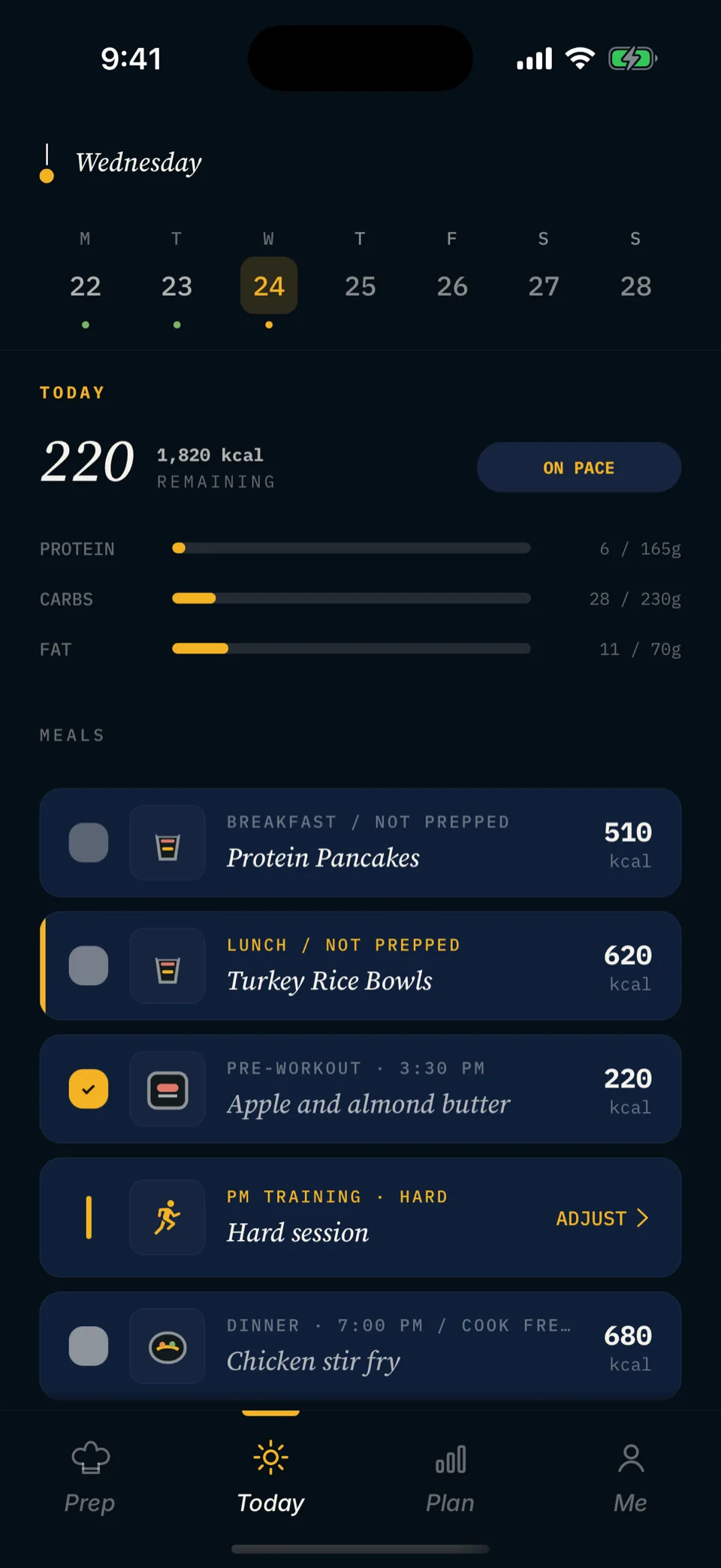
Sketch the seven days. Tag each one: hard, easy, rest or long. Hard days get more carbs and more calories. Easy days come down. Rest days sit closest to baseline.
- Hard day. +30 to +60g carbs and +200 to +400 kcal over the baseline day. Time the carbs around the session.
- Easy day. Protein steady. Carbs come down. Let fat rise a little to keep you full.
- Rest day. Closest to baseline. The day doesn’t need to be artificially low.
- Long day. Treat combined session output as one big day. Don’t starve the second session because the first ate the budget.
Assign meals across the week.
With targets and training tags in place, fill the days. Protein anchors each meal; carbs land where training needs them; fat rounds out the remaining calories. Reuse a small set of meals across the week. A dozen new recipes a week is a recipe for following none of them.
Common mistakes
- Identical macros every day, regardless of training.
- Twelve new recipes you’ve never cooked.
- Carbs all stacked at dinner, no pre-workout fuel.
- No pre/post structure on session days.
What holds
- Day macros that bend with training tags.
- 5–7 anchor meals you cook, on rotation.
- Carbs placed pre- and post-session, not piled at night.
- One protein, one carb, one veg per main meal; snacks fill gaps.
Generate the grocery list.
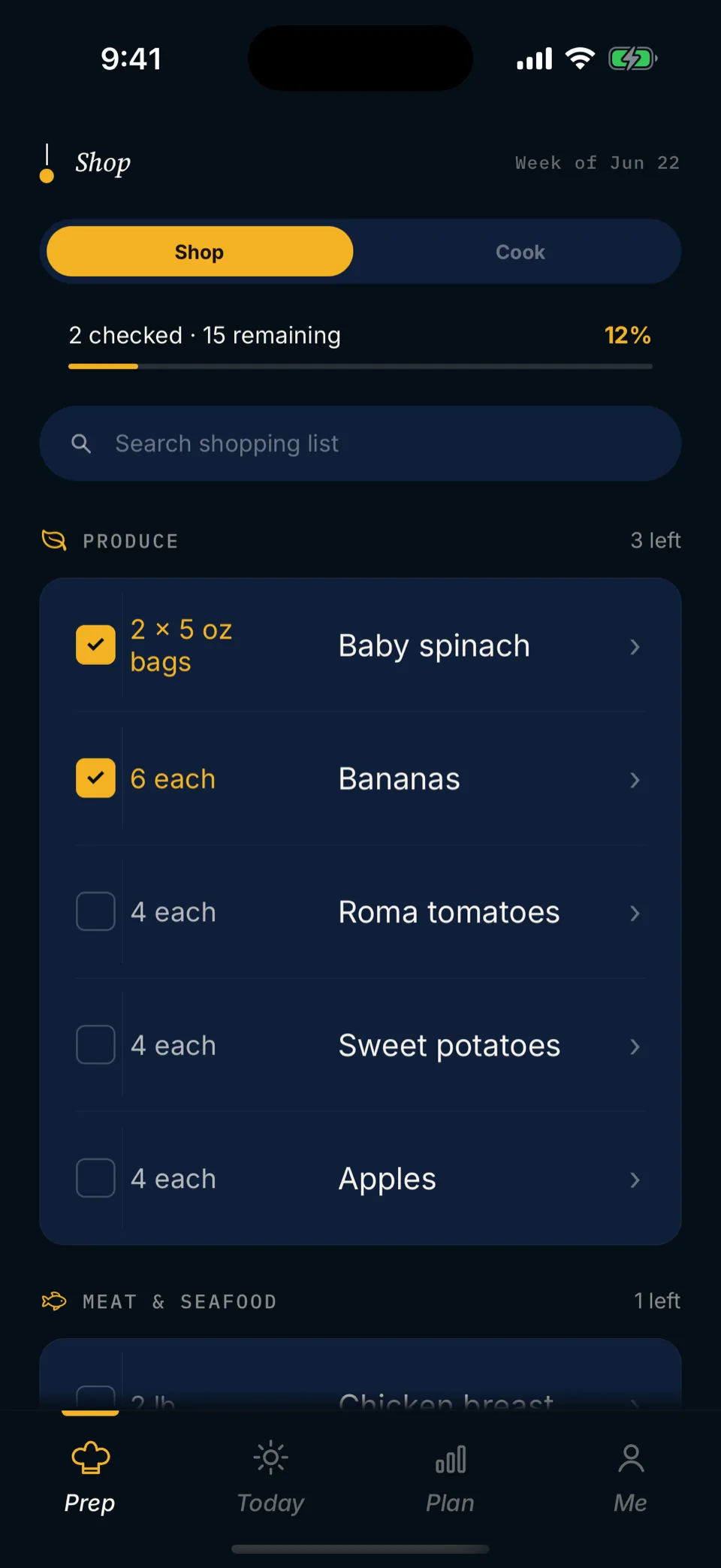
Sum quantities across every assigned meal. Aisle-group the list (produce, protein, dairy, dry goods, frozen, condiments) so the shop runs in one pass. Reconcile across recipes: if three meals call for spinach, buy one bag, not three half-bags. Note what you already have so the list doesn’t double-buy.
- Aisle order matters. The store layout dictates the order, not the recipe order.
- Quantities reconciled. Sum every recipe’s call for an ingredient before writing it down once.
- Check what you already have. Mark what’s in stock. Subtract from the list before shopping.
- One shop, not three. A consolidated list keeps Wednesday top-ups off the calendar.
Prep the week in the right order.
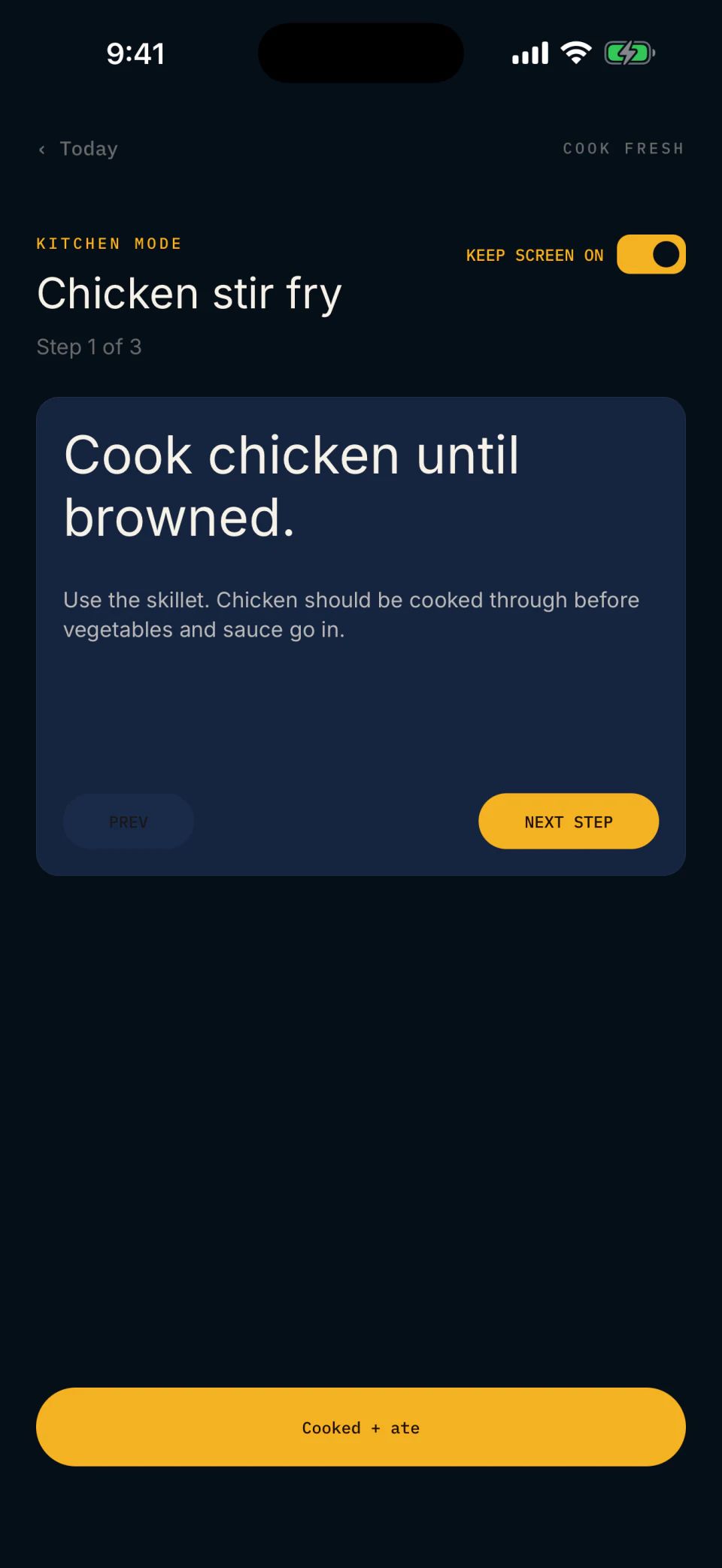
Prep that holds is mostly about sequence. Start the oven first. Sheet pans and roasts run on their own clock. While that’s going, run a stovetop block (grains, sauces, eggs). Cold assembly (jars, dressings, portioning) goes last. Cook what batches well in bulk; leave single-serve meals on the daily list.
- Oven block. Biggest, longest items first. One sheet pan can cover four lunches and a dinner protein.
- Stovetop block. Grains, sauces, sautés while the oven runs.
- Cold assembly. Portion, jar, dress, label.
- Storage windows. Cooked grains 4–5 days. Cooked proteins 3–4 days. Anything beyond that goes in the freezer.
Track adherence and tune next week.
Honest tracking beats elaborate logging. Tap or note what you ate, not what you intended. At week’s end, ask three questions: did the scale move the right direction, did energy hold through hard sessions, did you finish what you prepped. Adjust calories ±100–200/day if the scale is off-target. Carry forward what worked.
Signals to ignore
- One bad day mid-week.
- Daily macros that miss by 5%.
- Scale fluctuations of less than 1% bodyweight.
Signals to act on
- Two weeks of no scale movement while losing or gaining.
- Energy crashes on hard days: check carb timing and volume first.
- Repeated unfinished prep: the plan is too ambitious or wrong on volume.
You can run the six steps by hand. Mero runs them for you.
A spreadsheet works. It also eats your Sunday and starts blank every Monday. Mero runs all six steps from the targets it sets and your hard, easy and rest days. Next week’s draft is ready every Friday at 8 a.m.
Spreadsheet or template
- Built manually from scratch or copy-pasted.
- Rebuilt or re-pasted every Sunday.
- Macros and grocery quantities calculated by hand.
- No automatic link to the training week.
- Adherence tracked in a separate tool, if at all.
Mero
- Built from the targets Mero sets and your training calendar.
- Follows next week’s training.
- Grocery list and batch-prep plan generated with the plan.
- Next week’s draft draws on a 28-day meal rotation.
- Adherence captured as you tap planned meals.
Common questions about weekly planning.
How long should planning a weekly macro meal plan actually take?
By hand, the first week takes the longest. After that you reuse a base plan. The time goes to picking meals, not the macro math. With Mero, the week is planned in under a minute.
Do I need to hit my macros to the exact calorie?
No. Hit the weekly totals. A ±5% daily range, averaged over the week, is close enough.
How often should I re-plan?
Weekly. Check the targets themselves every 2–3 weeks if you’re losing or gaining. Faster if the scale, energy, or adherence is moving in the wrong direction.
Should the plan be the same every week?
The shape repeats if your training stays steady. Some meals repeat too, which keeps the shop small. Mero draws each week’s meals from a 28-day rotation.
What if I miss a planned meal mid-week?
Mark it and move on to the next meal. Don’t make up the calories later. Chasing them throws off the next day too. The weekly total is what counts.
How do I handle a lighter training week?
Mark the lighter days easy or rest. The next draft plans them that way. Protein stays steady across day types.
Can the plan handle a meal out?
Yes. By hand, slot it in ahead of time, estimate its macros, and trim the meals around it. In Mero, skip that planned meal. The rest of the week stays put.
More general questions? See the main FAQ on the Mero homepage.
From people using it.
5.0 on the App StoreMero does all the hard work for me. It plans my meals and grocery list around a workout plan that’s specific to me and my fitness goals. … Now it’s time to shop, prep, and shred.

Knowing my targets was the easy step. The hard part was living them week to week. I built Mero to do that part.
Stop rebuilding the spreadsheet.
14 days free for eligible new subscribers, then $9.99/month. iPhone in the U.S. For adults 18 and over.